
Managed shipping: step-by-step
I am enrolled in managed shipping. I have received an order, what do I do next?
Congratulations! You have received your first order on managed shipping, so you may now wonder what will happen next?
This will depend on where you are based and where the order is going to be shipped. Keep reading to find out!
Step 1: Order confirmation
You will receive an email confirmation from us.
The shipping service that will be used is based on what the customer has paid during checkout and based on the services available in your area and the type of artwork that is being shipped.
Step 2: Shipping label
The shipment is automatically created in the Arta system when you receive your order.
If it's a domestic shipment, for eg. UK to UK or US to US etc, then labels will be automatically generated and sent to you via email right away.
If it's an international shipment, eg. US to Europe or UK to US etc, artists will receive an electronic customs declaration form via email, which will need to be completed (this includes just regular information about artwork title, medium, your address, phone number etc) as Arta will require this information in order to manage the shipment. After this has been received by Arta, they will then be able to send through the labels for your shipment.
Please keep an eye on your inbox, including any spam/junk folders as shipping labels should be available to you right away if it’s a domestic shipment, and a short time after you have completed the electronic customs documentation with Arta.
The email address used for shipment notifications and communications with Arta will be the notifications email registered in your Seller Portal. Therefore, please ensure that this is up to date and set to receive emails from support@arta.io, hello@arta.io and insurance@arta.io.
If you haven’t received your labels, please get in touch with Arta at support@arta.io or sellers@artfinder.com and we will be happy to assist you.
Step 3: Completing the electronic customs declaration
The customs declaration is an important document for your international shipment. This is designed to explain to customs officials what the contents of the package are and if an additional duty or tax needs to be levied.
You will therefore be required to complete the below:
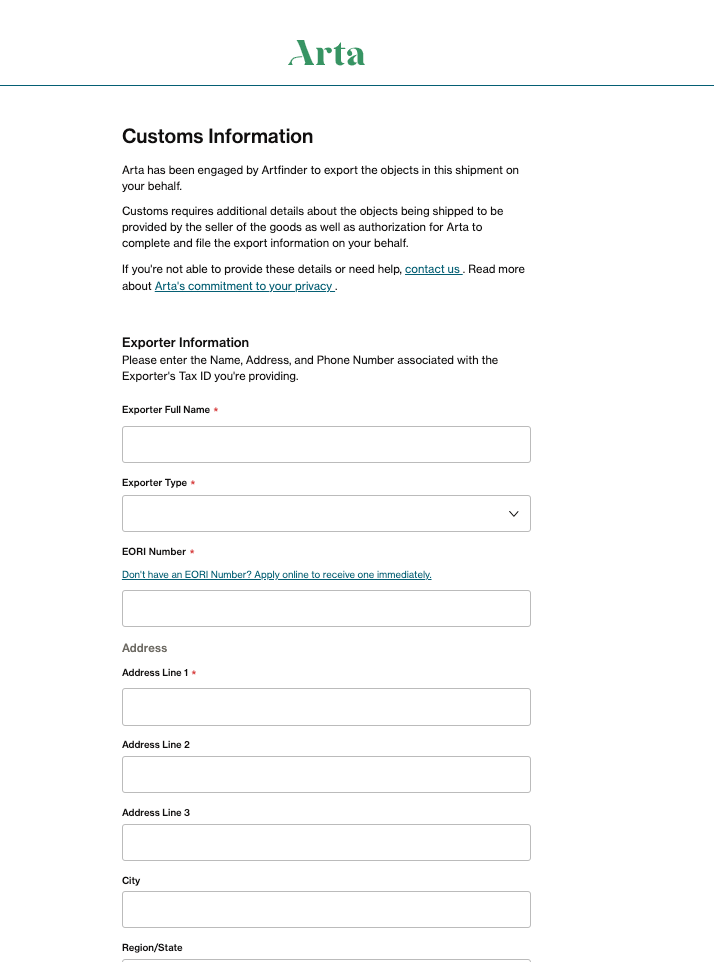
- Exporter Information
- Exporter Full Name
- EORI Number* - you will need to choose between:
- Business
- Private individual
- Your address
*EORI Number: If based in any of the countries below and a "private" seller, you will not need to include an EORI number.
- France
- Belgium
- Denmark
- Slovakia
- UK (you only need to provide EORIs for purchases above $40,000/€33,874/£29,910)
If your purchase is below the following thresholds, you can ship as a private seller without an EORI if you are based in:
- Germany - €1000
- Bulgaria - €1000
- Poland - €2000
- Netherlands - €2000
You will still need to provide an EORI number if based outside of the above countries or if your purchase is over the thresholds advised, even if you are a private seller.
EU Sellers can export using any EU EORI number, regardless of the shipment’s origin within the EU or the specific EU country where that EORI is registered.
Find out more about EORI at Do I need to have an EORI number for international shipping?
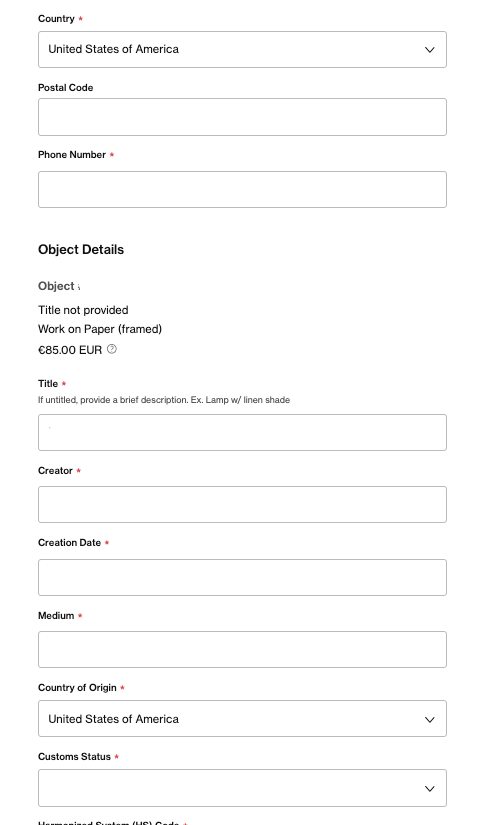
- Object details
- Artwork title
- Creator
- Creation Date
- Medium
- Country of Origin
- Customs Status
- 10 00 001 - Export from Free Circulation
The item is a standard domestic export. This is the simplest and most common declaration for sales. As your artworks are created and shipped from your country of residence, this is the option you should be choosing when completing the customs declaration.
- 31 53 000 - Export from TA
The item was only brought into the country for a temporary purpose (e.g., for an exhibition, repair, or processing) and is now being re-exported. It never formally entered "free circulation" and may be exempt from certain duties.)
- 31 71 000 - Export from Bonded Warehouse
The item has been stored in a special customs-controlled warehouse and has never had its duties/taxes paid. It is being exported without ever entering the country's domestic market.
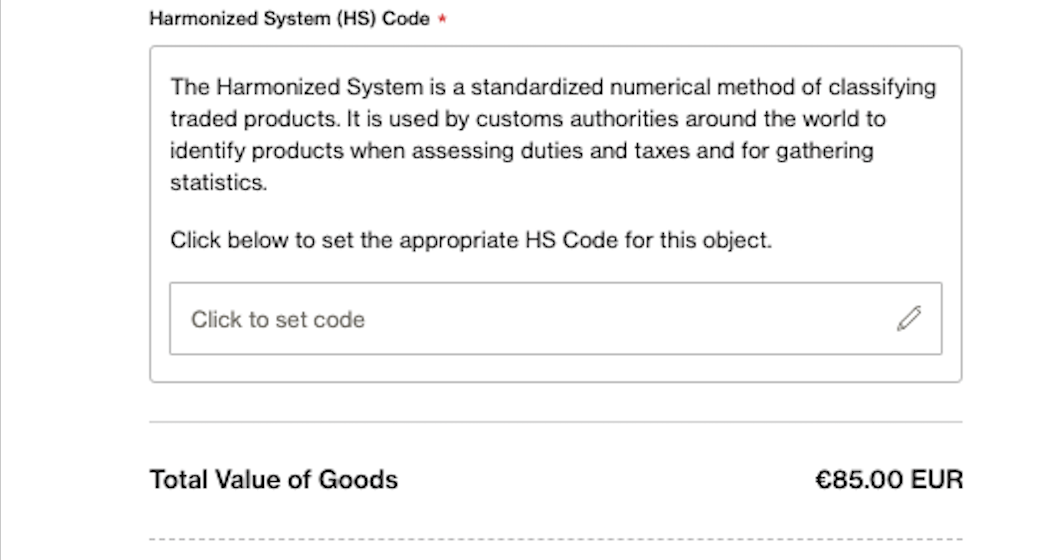
- Harmonized System (HS) Code (the main HS codes as developed by the World Customs Organization (WCO)):
- 9701.9100 - Paintings, drawings and pastels (executed entirely by hand, excluding antiques of an age exceeding 100 years)
- 9701.9900 - Collages
- 9703.9000 - Sculptures
- 9702.9000 - Original engravings, prints and lithographs
- 4911.9900 - Printed pictures and photographs
To enhance the artist experience, we are dedicated to developing functionality that will automatically complete the majority of this required information. We appreciate your patience as we finalize this significant future improvement.
Please see below a sample of what the Arta customs information email looks like:
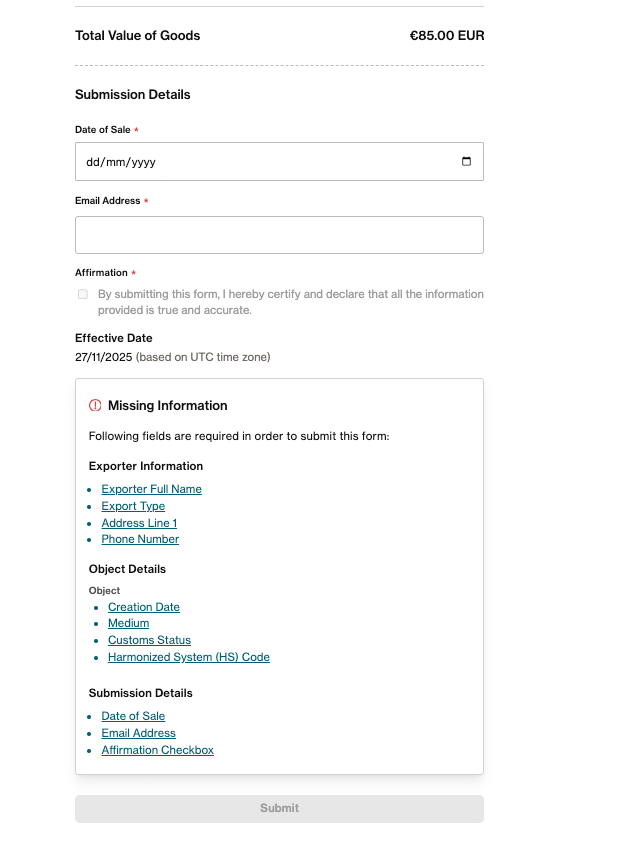
- Art declaration - Arta will provide you with a template of the art declaration which will need to be completed, signed, and uploaded to the form
Step 4: Your shipping labels
Your shipping labels will be sent via email.
If you are shipping multiple artworks per order, you may also be requested to pack and ship these individually. Therefore, you will be provided with separate labels for each artwork.
Your shipping label confirmation email will specify which label you must use for your artwork.
If you wish to ship artworks together, you will need to ensure that your shipping profiles are set for this. You can read more about this at How to set up & manage my shipping profiles?
Please note that whilst we'll keep your shipping preferences in mind, in some cases, the Arta team may determine that additional packaging is required or that certain pieces cannot be shipped together, and they will advise you of this.
If in doubt, please don't hesitate to email us at sellers@artfinder.com and we'll be happy to assist further.
Step 5: Collection Scheduling
You may drop off the packaged artwork at the nearest authorised drop-off point: UPS, FedEx, DHL, Royal Mail (UK only), depending on the applicable courier.
Alternatively, please contact Artfinder Support at sellers@artfinder.com or support@artfinder.com, and we will promptly book a courier collection for you. You will only need to provide us with a suitable date/time for your collection.
We are actively working to fully automate the collection booking process, allowing artists to schedule pickups directly from your interface soon, further enhancing your convenience at no additional cost.
Shipments must be released directly to a carrier with an initial scan or dropped at a branded, staffed facility and the shipper must retain a receipt. Any package tendered at an unmanned kiosk or drop box voids coverage.
Shipping protection coverage requires an initial scan. Request a receipt for dropping off if the package will not be scanned immediately.
Step 6: Tracking
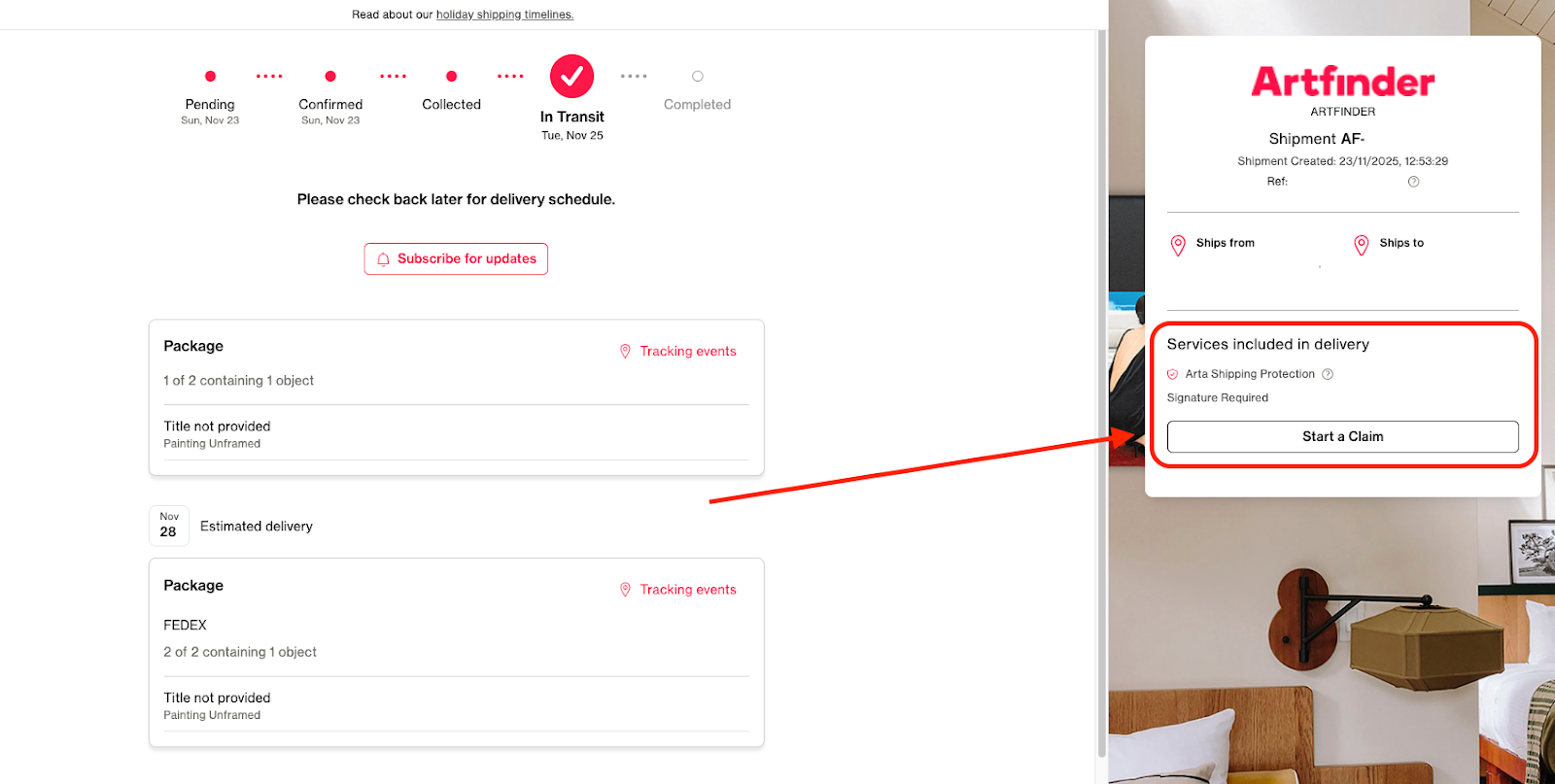
Arta provides a tracking page and sends automated notifications (via email or text) to both the artist and the buyer as the shipment hits key milestones. You will therefore be kept updated on where your artwork is at every step.
Step 7: Final Delivery
Good news, you will not need to mark your order as shipped any longer, as this will be done automatically from our end! Once the shipment has arrived with your customer, the order status will be automatically updated in our system, and the order will be paid out to you after the 14-day returns period has ended.
Step 8: Raising a claim
All shipments are insured. Therefore, in the unfortunate case that there has been an issue with your shipment, you or the customer can now raise a claim directly from the tracking page. This will immediately notify us and the Arta team and will allow us to further investigate the issue.
For any issues concerning shipments, including damaged parcels or artworks, all packing materials must be retained in their original condition. This is necessary to allow Arta to properly assess the damage and verify that the items were packed appropriately.
Additionally, any claims must be reported within 7 days of delivery. Claims submitted after this period will not be accepted.
Please note, in the event of a successful insurance claim being made via Arta, the proceeds of such claim will be passed to the supplying artist to cover any costs they have incurred, directly relating to the claim, up to a maximum of the insurance claim proceeds received